How LLM Tokens Are Counted — and What a Prompt Really Costs
Every AI model bills in tokens, not words. Here's what a token is, why input and output are priced differently, and how to work out the cost of a single prompt to the fraction of a cent.

CodeDevlify Editorial
Product & Platform team
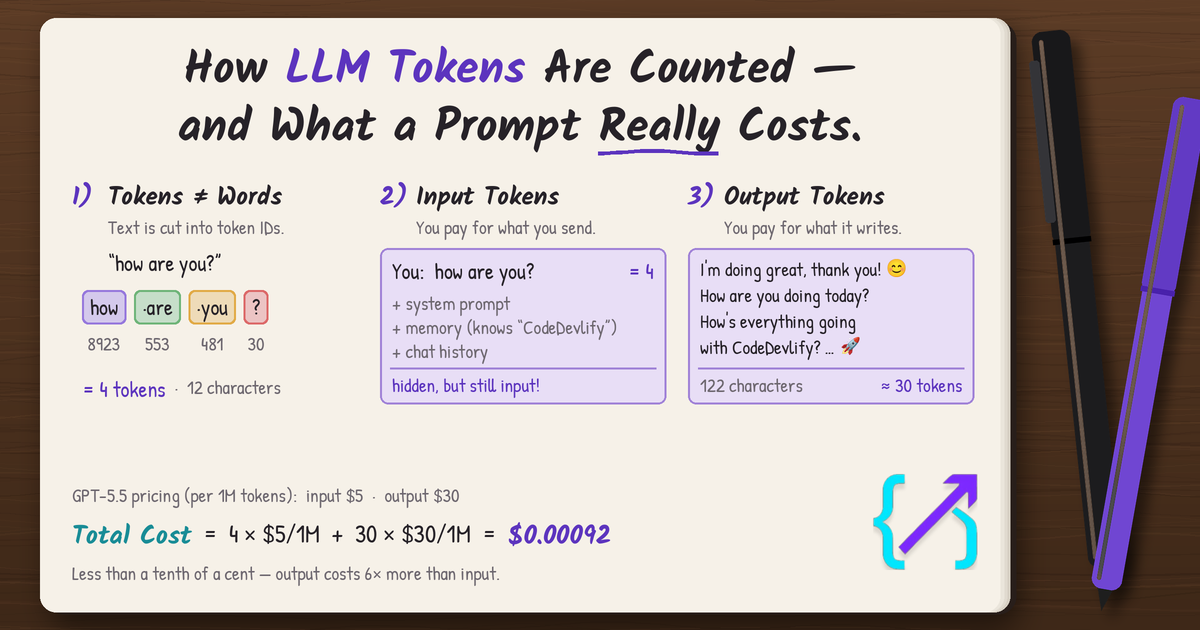
Every time you send a prompt to an AI model, someone is counting. Not words, not characters — tokens. Tokens decide how much text a model can read at once, how long its answer can be, and, on paid APIs, exactly what you're charged. Once you see how they're counted, AI pricing pages stop looking like guesswork.
What is a token?
A language model never sees letters or words. Before your prompt reaches the model, a tokenizer cuts the text into chunks from a fixed vocabulary and swaps each chunk for a number — its token ID. The model only ever works with those numbers, and it answers with numbers that are turned back into text for you.
You can watch this happen in a free tokenizer tool. Two good ones:
- OpenAI Tokenizer — for GPT models.
- The Tokenizer Playground on Hugging Face — lets you switch between many open models' tokenizers.
Example: “how are you?”
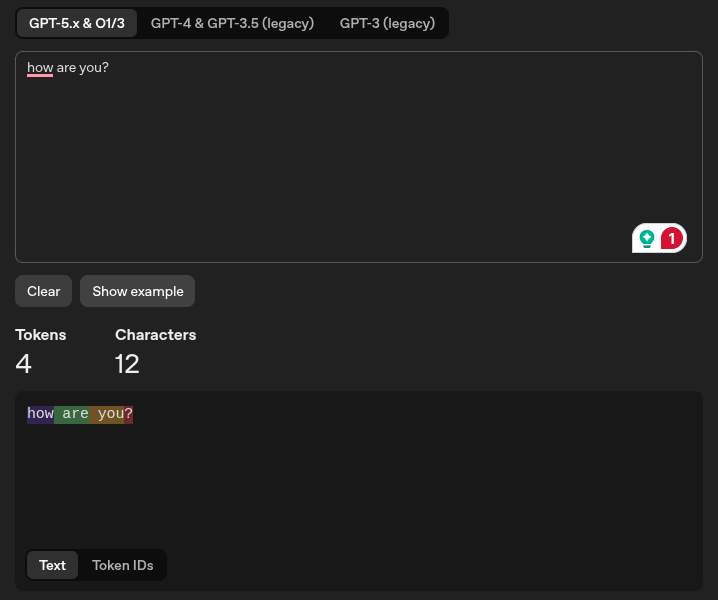
Paste how are you? into the OpenAI tokenizer with the GPT-5.x setting and you get 4 tokens and 12 characters.
| Token | Text | Token ID |
|---|---|---|
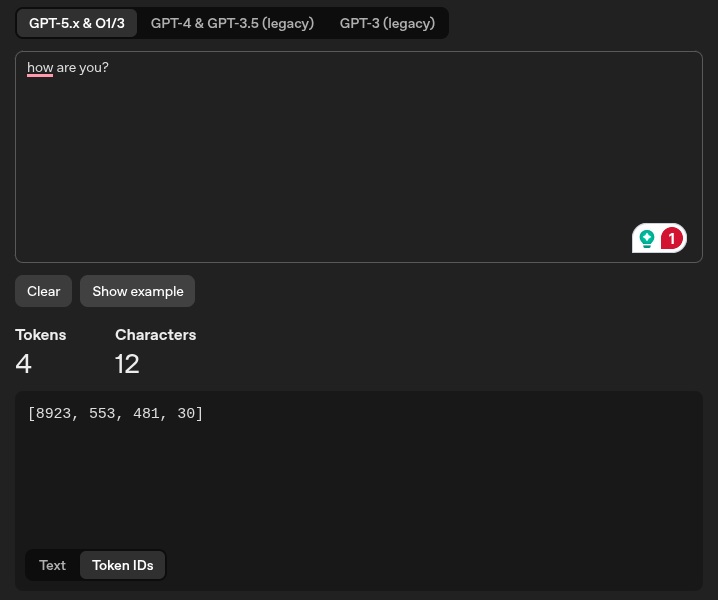
| 1 | how | 8923 |
| 2 | are (with its leading space) | 553 |
| 3 | you (with its leading space) | 481 |
| 4 | ? | 30 |
- 12 characters — every letter, both spaces, and the question mark: 3 + 1 + 3 + 1 + 3 + 1 = 12.
- 4 tokens — the spaces aren't separate tokens. Each space is glued to the front of the word after it, so
areandyouare single tokens. The?is its own token. - Token IDs
[8923, 553, 481, 30]— this list of numbers is what the model actually reads.
Model size doesn't decide token count — the tokenizer does
It's easy to assume a bigger model “uses more tokens”. It doesn't. A model's parameters are the learned weights inside it — anywhere from a few billion in a small open model to hundreds of billions or more in a frontier one, and every model's number is different. Parameters affect how capable (and how expensive to run) a model is, but they don't change how many tokens your text becomes.
What changes the count is the tokenizer's vocabulary. Each model family ships its own, which is why the OpenAI tool has separate tabs for GPT-5.x and older GPT-4 / GPT-3.5 models: the same paragraph can come out as a different number of tokens on each. When you compare prices across providers, compare the token count on each provider's own tokenizer, not just the per-token rate.
Input tokens and output tokens
Every request has two sides, and they're counted — and priced — separately.
- Input tokens — everything sent to the model: your prompt, plus any instructions, context, or earlier messages that go with it.
- Output tokens — everything the model writes back.
Here's the reply we got to “how are you?”:
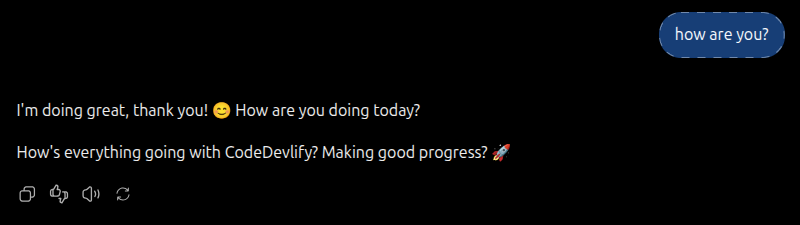
Run that through the tokenizer and it comes to about 30 tokens and 122 characters. Emoji are worth noticing: a single 😊 or 🚀 can take more than one token, because emoji are stored as several bytes.
So for the visible text alone: 4 input + 30 output = 34 tokens.
The tokens you don't see
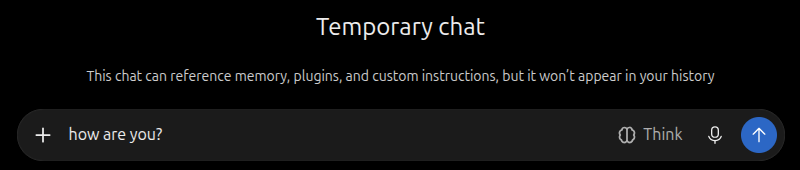
Look at that reply again: it mentions CodeDevlify. Our four-token prompt never said that word. The model knew it because the chat app quietly sent more than we typed — in this case, saved memory about the user. That's the most important thing to understand about token counts: the prompt you type is usually only a small part of the input.
- System prompt — hidden instructions the app adds to every request (tone, rules, tools available).
- Memory and custom instructions — facts the app remembers about you, injected into the context.
- Conversation history — models don't remember earlier turns. Each new message re-sends the whole conversation so far, so input grows with every reply.
- Message formatting — a few extra tokens per message mark who said what.
- Reasoning tokens — “thinking” models (GPT-5.5 is one) work through a problem before answering. That hidden reasoning is billed as output, even though you never see it.
How token pricing works
Paid AI APIs charge per million tokens, with separate prices for input and output. Here are the published rates for OpenAI's GPT-5.5 at the time of writing:
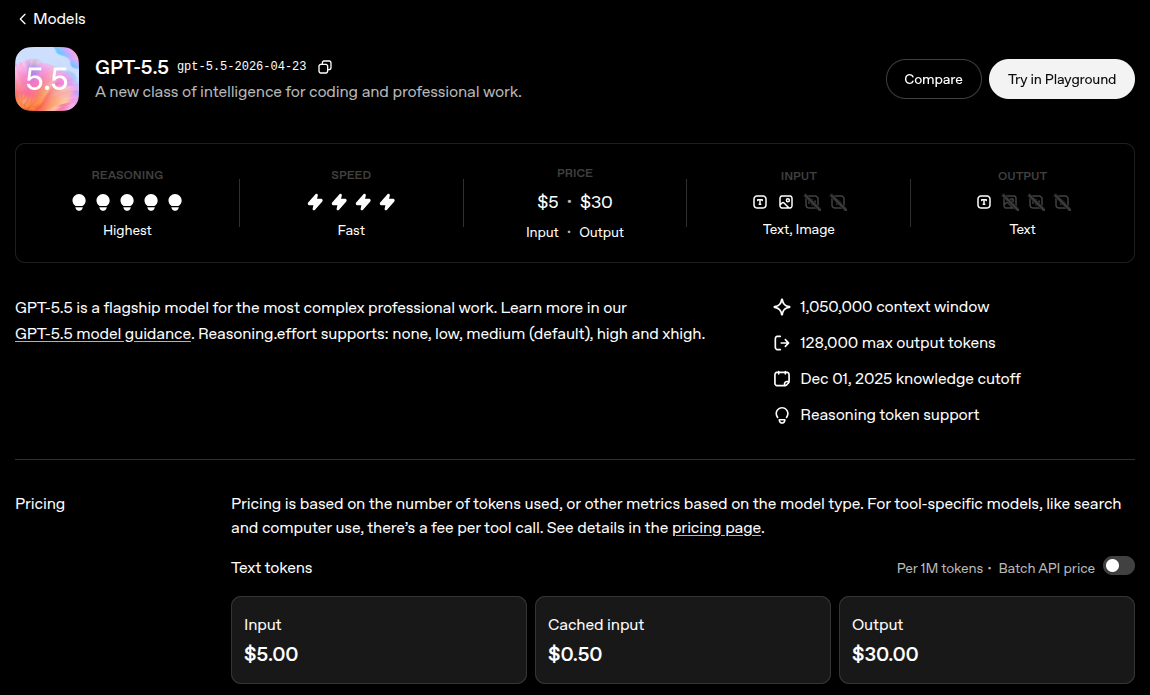
| Token type | Price per 1M tokens | Price per token |
|---|---|---|
| Input | $5.00 | $0.000005 |
| Cached input | $0.50 | $0.0000005 |
| Output | $30.00 | $0.00003 |
Output costs six times more than input here — generating text is more work than reading it. Cached input is a discount for text the provider has seen very recently, such as a long system prompt repeated on every request.
Working out the cost of one prompt
Step one: turn the per-million price into a per-token price by dividing by 1,000,000. Step two: multiply by how many tokens you used.
Input price per token = $5.00 / 1,000,000 = $0.000005Output price per token = $30.00 / 1,000,000 = $0.00003 Input cost = 4 tokens × $0.000005 = $0.00002Output cost = 30 tokens × $0.00003 = $0.00090 --------Total $0.00092Less than a tenth of a cent. Even 1,000 exchanges like this would cost about $0.92.
The same prompt, with hidden context
Now suppose the app also sent a 1,000-token system prompt and memory along with our 4 tokens (a modest amount for a real app — this number is just for illustration):
Input cost = 1,004 tokens × $0.000005 = $0.00502Output cost = 30 tokens × $0.00003 = $0.00090 --------Total $0.00592Same question, same answer, more than six times the cost — and almost all of it is text the user never typed. This is why trimming system prompts, caching repeated context, and capping conversation history matter so much once an app has real traffic.
ChatGPT plans vs. the API
The math above is how the API bills developers. The ChatGPT app itself works differently: free and paid plans have usage limits and a monthly fee, not a per-token bill. Tokens still decide how much the model can read and write in a chat — you just don't see a charge for each one.
What about free and open-weight models?
Most frontier models (GPT, Claude, Gemini) are sold pay-as-you-go through an API. Open-weight models (Llama, Mistral, Qwen, and others) can be downloaded and run on your own hardware with no per-token fee.
“No per-token fee” isn't the same as free, though. Running a model yourself means paying for GPUs, electricity, servers, and the time to keep it all running. And if you use an open-weight model through a hosting provider instead, they'll usually charge per token just like a frontier API — often at a lower rate.